
The least preparation possible, and none of the nerves.
Schools send the list in whatever shape they like, and sometimes not at all. This step is built so that it does not matter. If you cannot load the list beforehand, nothing gets held up, but in our experience every minute spent preparing pays itself back several times over in the steps that follow.
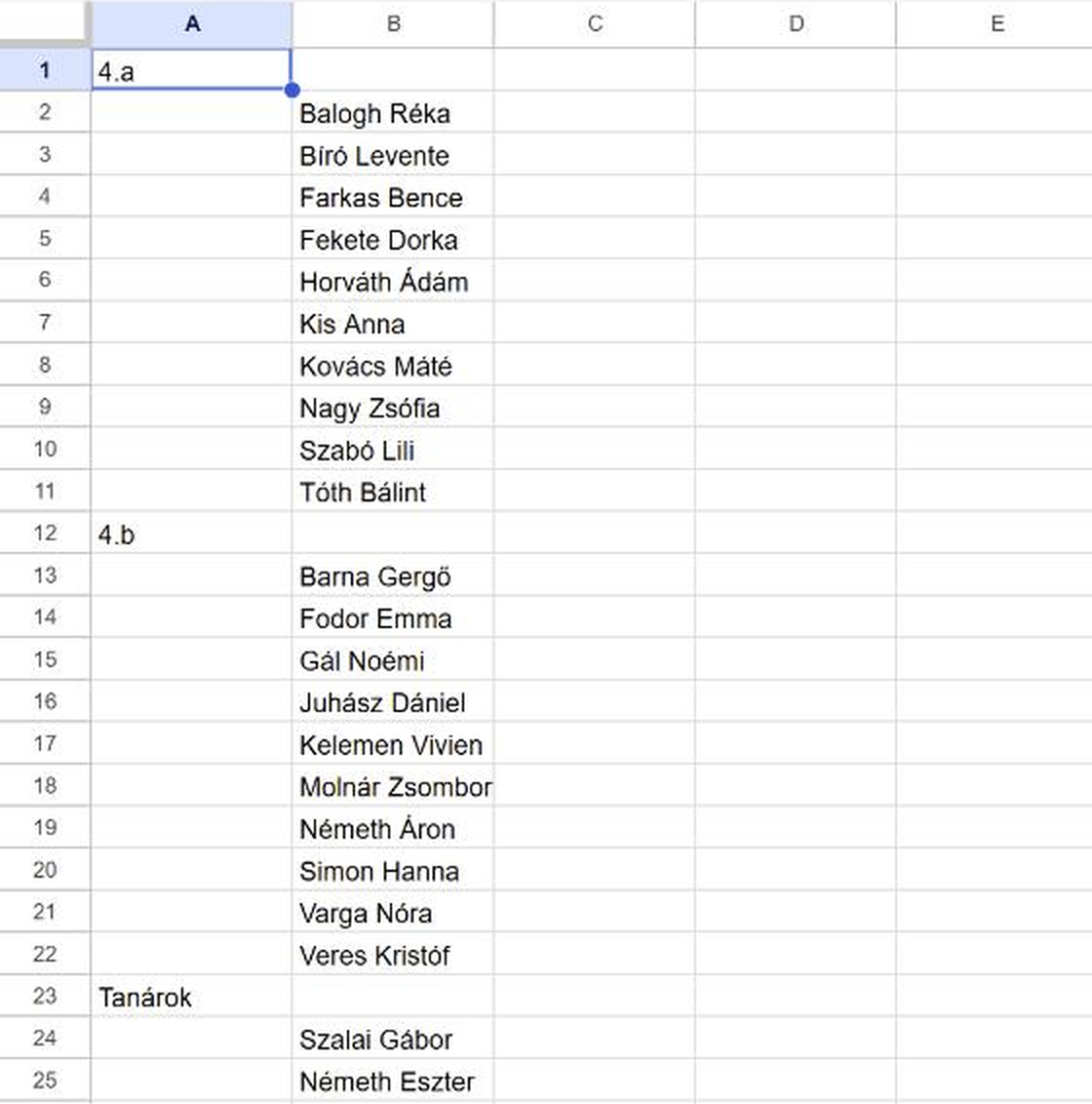
Two columns, nothing else
Class in column A, names in column B. The indentation is the hierarchy: no header row, no required fields, nothing to get wrong. Whatever the school sends, Excel, Word, PDF, or just the body of an email, all you need is the names, grouped by class.
Copying it across takes a few minutes, and then you can see at a glance that it is right. That is the point: before several hundred albums come into existence, you get to check them with your own eyes. Order does not matter, our system can sort them any way you like afterwards.
One A5 sheet per participant
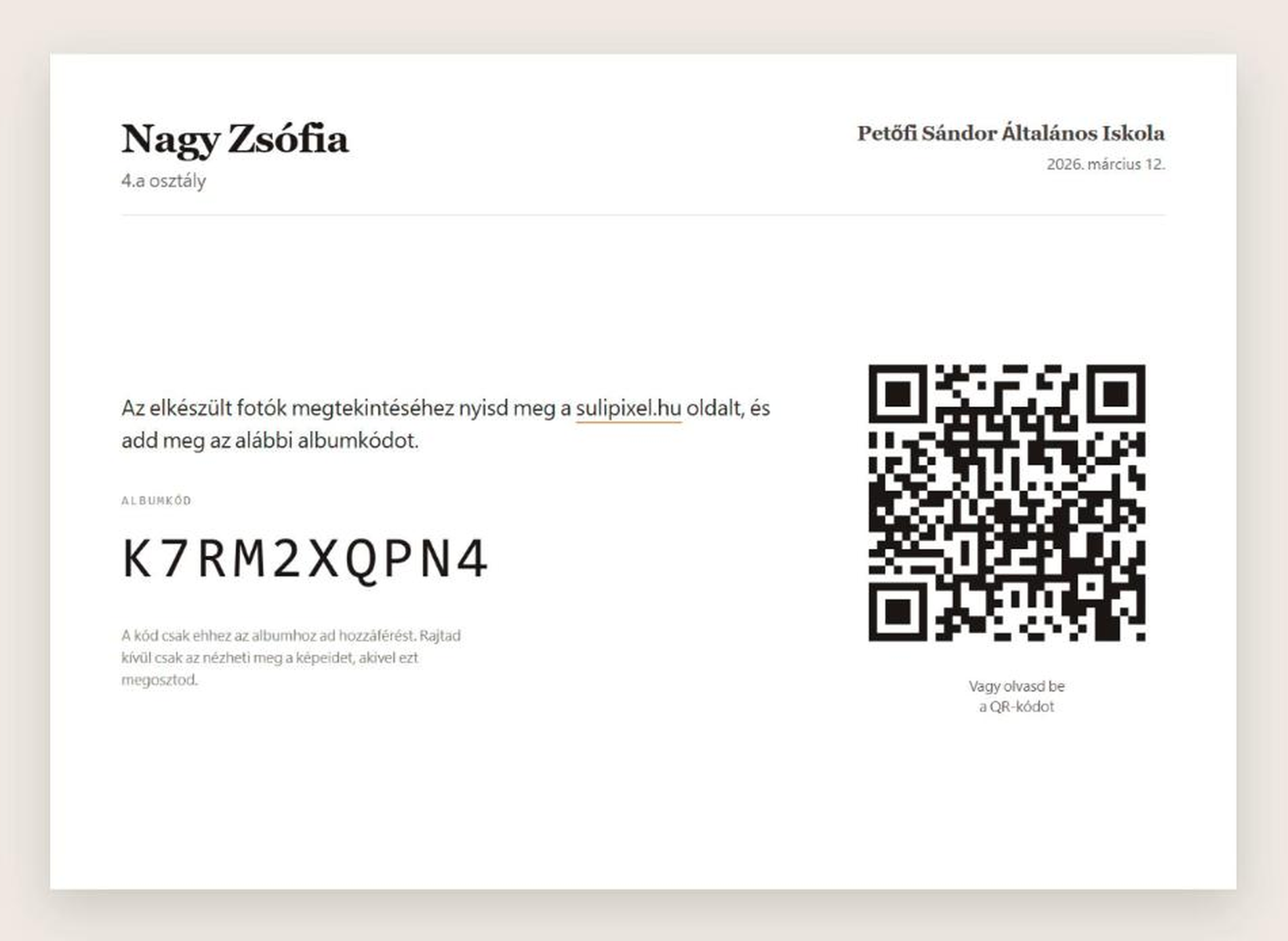
After the import everyone taking part has their own album with its own album code. You print one A5 sheet each: the code, and a QR that opens the album directly.
That is the only way in. No registration, no password, and no email address needed. You take the sheets with you and hand everyone theirs while you are photographing them.
When the list is wrong
It will be. None of it stops the shoot, and none of it invalidates a code that has already been printed.
- A child is missing
- You add them on the spot in the school editor. A few seconds.
- Moved to another class
- Two clicks. Their album code does not change, the sheet already in their hand stays valid, and the group photos move with them on their own.
- No longer at the school
- Delete. Done.
- Two identical names in one class
- Very rare, but it happens. Put a 1/2 or A/B after the names. The system does not mind either way, but it keeps the printed sheets from being mixed up. Two identical names in different classes are no problem at all.
Someone added on the day
They have no printed sheet. Either they give an email address and the system sends the code automatically, or they simply write the code down for themselves.
Giving an email address is voluntary. Anyone who would rather not hand over theirs or their parents' does not have to: writing the code down, or photographing it, works just as well.
When the list never arrives
It happens. The shoot does not stop: you create the albums on site in our system as the classes come in, with no internet needed.
Do not write that many codes out one by one, though, it costs more time than it is worth. And it looks amateurish :) Print the sheets after the day instead, and bring them back the next morning for the teachers to hand out. It is the least painful answer we have found, but a return trip is the price.
Which is why we always ask for the list at least a day before the shoot. It does not always work out :) When it does not, this is plan B.

Show us the worst name list you have ever been sent, and we will run it in front of you in two minutes.
Exactly as you received it. No need to tidy it up first. Though a photo of a printout snapped on your phone does not count! :)