
Parents order and pay online. Exactly what they want, once they have seen it.
In the old way this is the step that inconveniences everybody. Order slips, cash, envelopes, back and forth with the teachers, and spreadsheets somebody has to check against the payments. None of that remains.
What the parent sees
The child takes home the sheet they were given at the shoot, the parent types the code or scans the QR, and lands straight in their own child album. No registration, no password, and nothing that could be forwarded into a group chat by accident.
Everyone sees only their own photos. Not another class, not another child. This is not a setting that can be got wrong or forgotten about. It is the foundation the whole system is built on.
Showing the photos to someone else is of course still possible, by deliberately sharing the album code.
What they can order
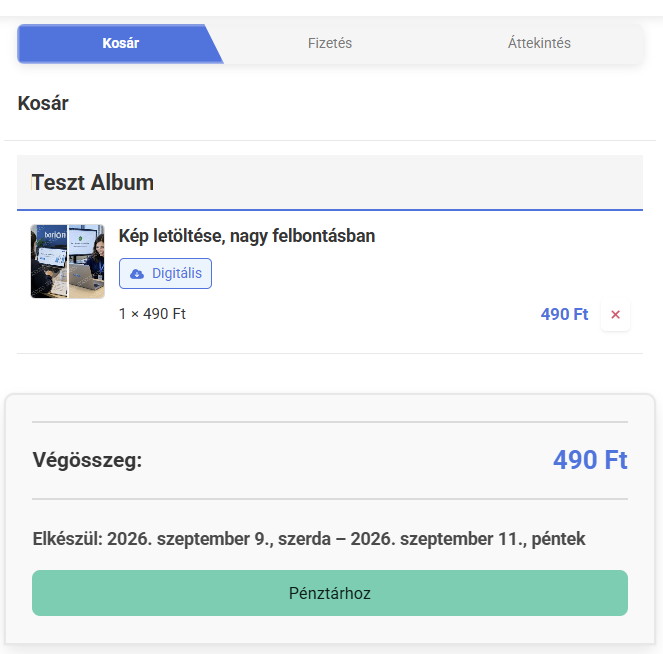
Which products, at what price, by what deadline, with what delivery. Backdrops, captions, extras, gift items. You decide exactly what is available and for how much, and the parent chooses from that. It can even be controlled at album level.
Normally, though, one set of settings per school is the sensible way to do it.
Payment and invoicing
Card payment using Barion, SimplePay, Stripe or PayPal, or even a bank transfer. You enable whichever you want, and if cash is insisted on somewhere, that can be switched on too.
The invoice is produced automatically by the connected invoicing system, in your name. No invoicing by hand, and no working out afterwards who paid for what.
Bank transfers are processed automatically as well, from matching incoming amounts to orders through to handling the discrepancies.
Discounts, deadlines, delivery
Discounts and ordering deadlines are yours to set. Once a deadline has passed you can still decide to leave repeat ordering open.
Delivery can go to the school, home by post, or to a parcel locker. You offer whichever options fit your own way of working best.
Switching delivery options off on a schedule is handled automatically: allowing delivery to the school only up to a certain date, for example.

See the shop the way a parent sees it.
With your own products, your own prices, in your own name.