
The queue keeps moving, and every frame lands on the right child almost immediately.
Two things matter on the day: that the queue keeps moving, and that you are not working out who is in the photos that afternoon or evening. Those two usually pull against each other. This step is about not having to choose between them.
Frames come off the camera by themselves
Plug the camera in and forget about it. The frames come across to the laptop on their own. If two of you are shooting on two bodies the two sets never get mixed up, and both cameras can download at once.
When the download finishes you can unplug and go straight back to shooting. Leave the frames on the card or wipe it, whichever you prefer: the downloader is clever enough not to fetch the same ones twice.
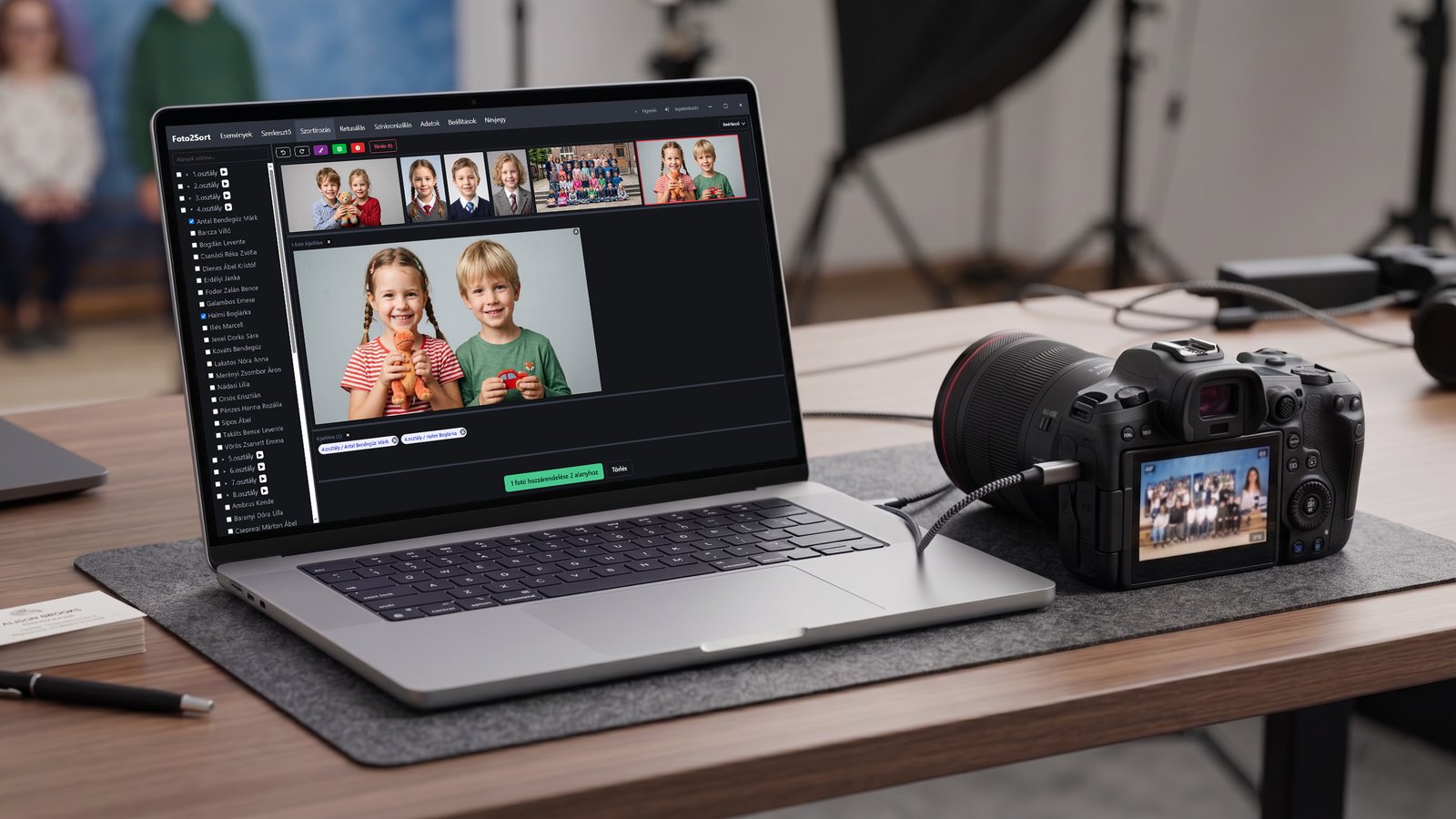
Tick, select, done
The name list on one side of the screen, the incoming frames on the other. All you do is pair them up, on an interface built for exactly this and nothing else. Everything about it is tuned so that individual and group photos can be attached to the children at speed.
It is not magic, and it takes seconds. What matters is that the pairing happens visually, there and then, while someone from the class is still on hand to help identify who is in the frame. The work you would otherwise take home disappears entirely, and the chance of getting it wrong drops sharply.
Everyone gets their own sheet
The A5 sheets printed before the shoot are handed out here: everyone gets theirs at the moment they step in front of the camera. It is the safest point in the whole day for the right sheet to reach the right child, because they are standing right there in front of you.
Teachers get theirs the same way, since they have their own album too. Their sheets were printed with everybody else's, so there is nothing to sort out for them afterwards.
Siblings, friends, class photos
One frame can belong to several children, even from different classes. A sibling photo goes into both albums, a group of friends into all of theirs, a class photo into the whole class. You tick them together and connect the frames once.
If it later turns out a child is in a different class, the group photos follow them. Nothing has to be sorted again, and nobody needs a new code.
When someone is not on the list
You add them on the spot, a few seconds, and the queue keeps moving. They have no printed sheet, but they get their code by email or write it down. The previous step covers that in full.
It works without internet
You cannot build a day of work on school wifi or a mobile signal, so we do not. The whole of the on-site work runs offline on the laptop as well: the downloading, the assigning, the group photos, creating a new album, all of it.
The upload starts whenever there is a connection: at the school, in the car, or at home. Your work does not stop in the meantime, and it is not at risk either.

See it live before you trust it with a whole school.
We will walk through a shoot the way it would run at your end.